
A fit for your business
Review branches, points of sale and transaction requirements before selecting a device.
Prepare your business for electronic receipts with Egypt Trust point-of-sale solutions and technical support. Choose the right setup, prepare integration details and get started in line with Egyptian Tax Authority platform requirements.
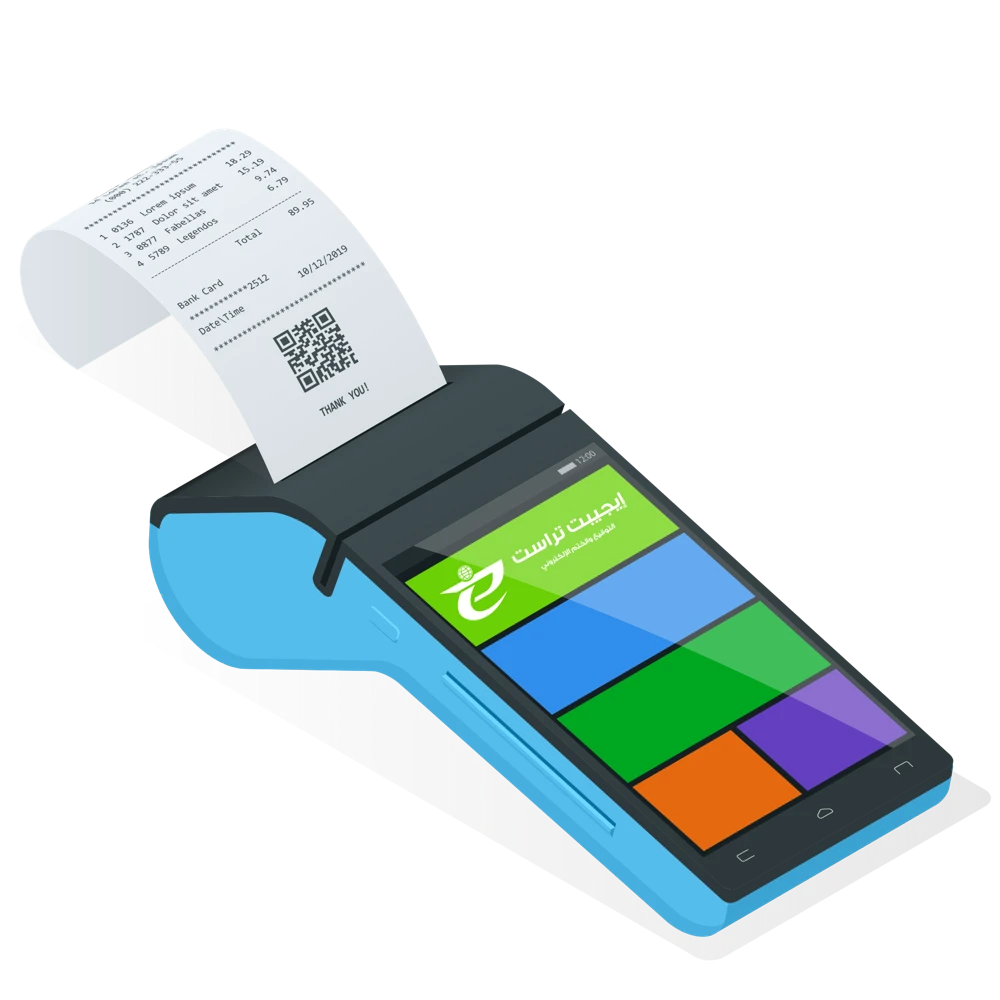
Review branches, points of sale and transaction requirements before selecting a device.
Technical assistance with registration, configuration and platform integration.
Guidance, training and technical support for everyday use.
The appropriate device and integration depend on your activity and current Egyptian Tax Authority requirements.
Choose the service and platform you intend to use.
Review the documentation or discuss technical requirements with us.
Complete the service process and receive the guidance you need.
From registration and POS setup to integration, submission and returns. Search for your question or browse all answers.
The source guidance specifies 24 hours from issuance, subject to change by a decision of the Egyptian Tax Authority (ETA). Check the current submission window that applies to your taxpayer profile in the platform before relying on this period.
If the original receipt was issued on paper before joining the platform and the return occurs within the permitted returns period, the source guidance calls for a paper return receipt rather than an electronic return on the platform. Receipts originally issued through the platform must have their returns processed through it. Confirm the applicable transition procedure with the ETA.
Yes. ERP integration can submit a batch covering more than one point of sale. Each receipt or return must include the serial number of the POS device that issued it.
Under the source guidance, a batch containing an invalid receipt is marked invalid. Resubmit the valid receipts and correct the invalid one. The corrected receipt may be included in the same batch, sent separately, or included in another batch.
For example, a batch contains three receipts and Receipt 2 is invalid. The identifiers below are illustrative labels, not real UUID values.
Before correction:
Receipt 1 (the first receipt from this POS): UUID = 1; previousUUID = an empty string.
Receipt 2 (invalid): UUID = 2; previousUUID = 1.
Receipt 3: UUID = 3; previousUUID = 2.
After correcting Receipt 2 and resubmitting:
Receipt 1 remains unchanged: UUID = 1; previousUUID = an empty string.
Receipt 2 receives a new UUID = 2*; previousUUID remains 1; referenceOldUUID = 2, referring to the invalid receipt.
Receipt 3 remains unchanged: UUID = 3; previousUUID = 2.
Use the exact field names and validation rules required by the document version in the ETA SDK.
For a single branch or sales outlet, register the accounting system as a software point of sale (SW POS). If a central ERP issues receipts for several outlets, each outlet must be registered as a POS on the platform.
Correct the error and submit a new receipt with a new UUID. Put the invalid receipt's UUID in referenceOldUUID. Keep previousUUID equal to the previousUUID in the invalid receipt. Follow the exact field names for your document version in the ETA SDK.
You can issue customer receipts without an internet connection, then collect and submit them after reconnecting. Submission must take place within the period set by the ETA. The source refers to 24 hours; confirm the current window that applies to your taxpayer profile.
It is a required field in a receipt or return and refers to the unique identifier of the previous receipt or return issued from the same POS. Follow the SDK rules for the first receipt and for correcting invalid receipts.
The source identifies sales receipts and return receipts. Consult the SDK document-types section for the available versions and the data structure of each version: https://sdk.invoicing.eta.gov.eg/types/
The same registered system can issue both receipts and invoices. The platform also allows you to register a separate accounting system for each if that suits your business.
No. A return receipt must reference the original receipt that was issued previously.
The Software Development Kit is the technical documentation that helps developers adapt an enterprise resource planning system (ERP) to use the platform's APIs. It explains document types, structures, submission and retrieval interfaces, and how to begin integration with the e-Receipt platform.
An Application Programming Interface is a technical interface that connects an ERP or another supported system to the e-Receipt platform so that the systems can exchange receipt data.
Check the submission response and receipt status through the available platform or ERP tools. The source also describes notifications through channels such as email, SMS and ERP, depending on the notification services enabled.
The two channels described in the source are a direct connection from POS devices and a connection through the company's ERP. The technical team should choose the channel that suits the company's operating environment.
The source refers to ongoing development of portal and mobile capabilities. For currently available functions and access requirements, check the ETA's current guidance or contact its support team.
Yes. Each receipt is validated individually, even when submitted as part of a batch.
When the system resumes operation, submit receipts covering the interruption in batches, within the submission period applicable under the ETA's rules.
The ETA provides an SDK to help your developers understand integration, including document types, fields and structures. Start with its integration guidance and examples: https://sdk.invoicing.eta.gov.eg/faq/
The source states that ERP integration itself does not require additional hardware or software licences, but the ERP must be adapted to the published APIs. Integration through a POS requires the approved licensing or authorisation applicable to the device and its software. Confirm any supplier-specific costs and current approval requirements before purchase.
The source identifies sales receipts and return receipts. The SDK document-types section provides the versions and structures to use: https://sdk.invoicing.eta.gov.eg/types/
Receipts are submitted in JSON format. Use the SDK's receipt issuance guidance for the required validations and calculations before submission: https://sdk.invoicing.eta.gov.eg/receiptissuancefaq/
Choose the branch where the POS will be registered. Select the supplier from the vendor list, then select the POS model. Enter the POS name, activation start date and its unique serial number.
The source's test-environment example uses Legacy Vendor and Legacy_Model. Follow the vendor and model options currently available in your environment.
Integration transfers the required receipt data, rather than the company's print layout. Your ERP sends the fields specified by the ETA. The printed receipt must still meet applicable content requirements, including the UUID and QR code.
Yes. The platform requires a defined set of receipt data and the structure specified for the relevant document version.
The API transfers the required receipt data from the ERP in JSON format; it does not convert the company's print design into a different layout. Include all mandatory printed-receipt details.
Electronic receipts can be issued in Arabic and English.
Choose a POS supplier and model approved for the ETA's e-Receipt platform, then contact the supplier to obtain the equipment and arrange setup. The source directs businesses to the POS supplier portal at POS.etax.com.eg; confirm the current portal and approved list with the ETA before ordering.
Link the return to the original receipt using its reference UUID. The return amount must not exceed the original receipt amount.
Yes. The combined value of all returns against an original receipt must not exceed its original value.
An issued receipt cannot be edited or deleted. Use the applicable return procedure, referencing the original UUID, to reverse all or part of the transaction.
The source asks the company to confirm readiness to join testing and complete integration by the assigned deadline, by contacting e.receipt@eta.gov.eg or eReceipt.support@eta.gov.eg. Confirm the current onboarding channel with the ETA.
If the company is already registered for e-Invoicing, a B2C tag is added so its authorised representatives can access e-Receipt functions.
If it is not registered, the source lists: company name and tax registration number; company email and telephone; the representative's name in Arabic and English; national ID number; mobile number; and email address for the invitation.
It also lists a recent tax-card copy and the representative's authorisation document. Submit these only through the official process confirmed by the ETA.
The source states that the company must have the B2C tag added by its authorised representative or by the ETA so the e-Receipt functions become available.
The source lists the company contract and commercial register. For an individual taxpayer, it specifies the lease for the new branch. Confirm the current requirements with the relevant tax office.
First check with the relevant tax office that the branch has been registered. Provide the branch registration certificate when requesting correction or synchronisation of the record.
The source directs the company to email eReceipt.support@eta.gov.eg to confirm its readiness and its commitment to complete integration on schedule. Confirm the current onboarding process with the ETA.
A company already registered for e-Invoicing needs a B2C tag to enable its authorised representatives to use e-Receipt functions.
For an unregistered company, the listed details are its name, tax registration number, email and telephone, plus the representative's Arabic and English name, national ID number, mobile number and invitation email.
The listed attachments are a recent tax-card copy and the representative's authorisation document, submitted through the official process confirmed by the ETA.
It is a branch code registered at the taxpayer's tax office and shown in the taxpayer profile on the platform.
Register by the mandatory date and contact the relevant tax office to clarify the applicable B2C treatment and e-Receipt joining date.
The source describes a transitional deferral request stating that all transactions are consumer receipts, with a one-month request deadline from the e-Invoice mandate. It describes tax-office verification, approval and referral to the central electronic-transactions administration and taxpayer segmentation committee for later e-Receipt mandates.
These are historical transition instructions, not an automatic exemption. Confirm whether they apply to your company and which current decision and deadline govern your case.
The source describes e-Receipts as an extension of the e-Invoicing platform, sharing the same platform infrastructure. Use the SDK guidance to obtain the correct testing and production endpoints: https://sdk.invoicing.eta.gov.eg/faq/
It must include the receipt's UUID and QR code, enabling the final consumer to look up and review the receipt on the platform. Follow the current SDK rules when generating the QR code.
The source states that e-Receipts do not require a digital signature. The SDK describes receipt-signature validation as subject to an ETA activation decision, so check the current requirement for your document version.
A company with B2C transactions should integrate with the e-Receipt APIs and submit consumer receipts to the e-Receipt platform when applicable to its mandate. B2B invoices continue to be submitted through e-Invoicing.
Yes. The ETA does not require a company to use a particular integration supplier. You may choose your internal technical team or an external provider.
The SDK contains the technical sections and information required for integration.
Testing documentation: https://sdk.preprod.invoicing.eta.gov.eg
Production documentation: https://sdk.invoicing.eta.gov.eg
The source identifies GS1 and EGS, the coding systems also used in e-Invoicing.
The source describes using GS1 as the code type and the fourth-level GPC Brick code as the item code until the company's EGS codes are approved. Confirm that this interim procedure is permitted for your case under the current ETA coding rules.
It is an electronic record of a sale of goods or services, with defined data and technical characteristics. The taxpayer prepares and submits it to the platform for validation by the ETA, and a printed or digital copy can be provided to the customer. Consult the taxpayer introduction and readiness guides for further details.
The main distinction is the transaction recipient: e-Receipts are intended for final consumers (B2C), while e-Invoices are intended for business transactions (B2B).
For registration, integration and operational enquiries, the official SDK lists einvoice_support@efinance.com.eg and the contact centre 16395. Egypt Trust service enquiries use the separate hotline 19877.
A unique receipt identifier; a standard data structure; consistent goods and services coding; prompt delivery of a receipt the buyer can review; and storage of receipt data for viewing and printing.
It is the document's unique identifier across the platform. It is different from the seller's internal receipt number. Generate it according to the applicable SDK rules.
It means connecting the taxpayer's sales system to the e-Receipt platform so receipt data can be exchanged electronically.
Use the platform's APIs and the ETA SDK to implement and test the connection. The SDK provides integration instructions, examples and additional resources: https://sdk.invoicing.eta.gov.eg/faq/
Also consult the taxpayer introduction and readiness guides.
The source refers to this connection as a later phase. Check the current ETA releases and the requirements that apply to your tax return; the source does not establish its present availability.
The source describes recording a company's tax registration number, and a national ID for individual or unregistered buyers when the applicable transaction threshold is exceeded.
Actual acceptance depends on the document version and taxpayer settings: business buyers may be restricted. Confirm the current buyer rules and threshold in the SDK, and use e-Invoicing for B2B transactions where required.
After payment, the buyer receives the receipt and scans its QR code to view and check the receipt data on the platform.
When the relevant mandate applies, submit B2C receipts through the e-Receipt APIs and continue submitting B2B invoices through e-Invoicing. A company whose transactions are entirely B2C submits those receipts through the e-Receipt platform.
The e-Receipt and e-Invoice services share the platform infrastructure described in the source. Consult the SDK for the correct environment and links: https://sdk.invoicing.eta.gov.eg/faq/
Complete the required integration tests and follow the ETA's onboarding and production-access procedure. The source's statement that the entire platform was still in a pilot stage reflects an earlier period; it should not be treated as its current operating status.
It is a required data element identifying the preceding receipt or return issued from the same POS. The source describes the last successfully issued document; follow the SDK's special rules for an initial document and corrected invalid receipts.
Issue a return receipt for the full amount to be reversed or the value of the returned goods, and reference the original receipt's UUID.
Use the taxpayer's digital profile and available receipt-status or retrieval functions. The profile is linked to the taxpayer's registered data, including the tax registration number, company name, main address and branch addresses.
The company can continue using its ERP. Integration still requires the necessary API connection, data mapping and technical changes to submit receipts correctly.
Yes. Issue them offline, collect them and submit them once connected, within the window set by the ETA. The source mentions 24 hours; check the current period applicable to your taxpayer profile.
The source states that it is not required. Keep track of ETA decisions and the SDK requirements in case receipt-signature validation is activated for your document version.
ETA requirements and deadlines depend on current decisions and the taxpayer’s circumstances. Consult the current technical guidance when implementing. Egyptian Tax Authority SDK ↗
Our team helps you choose the right service and prepare your application.